

Choosing the right coaching institute is an important decision for every competitive exam aspirant.
At Professor Academy, we understand that students may not always be able to reach us through phone calls due to high enquiry volume, especially during peak admission periods.
To ensure that no student faces difficulty, we have made our online course enrollment process simple, transparent, and completely self-guided.
This guide explains how you can join any Professor Academy online course directly through our website, without making a single phone call.
Professor Academy offers multiple competitive exam courses such as PG TRB, UGC NET, CSIR NET, UG TRB, and more. Due to the demand, enquiry calls may occasionally face delays or busy lines.
To avoid inconvenience and save your time, we provide a direct website-based enrollment system that allows you to:
This process ensures clarity, independence, and immediate confirmation for every student.
Open Google and search for professor academy.
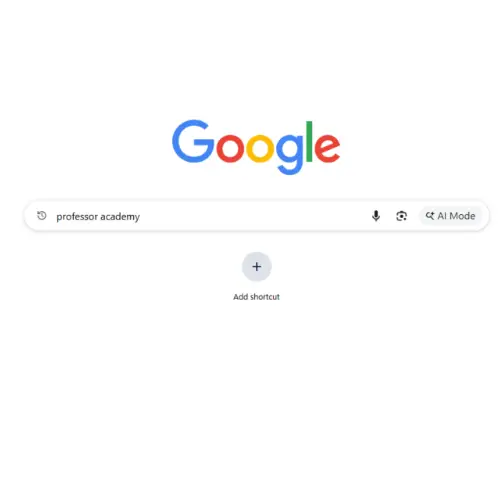
It will show our professor academy website page. Click on the official Professor Academy website

This will take you to our homepage, where all available courses are clearly listed.

On the homepage, you will find admissions opens for multiple course options , including:
Choose the course category that matches your goal. For example, if you are preparing for UGC NET, click on the UGC NET option.
After selecting the course category, you will be directed to a page displaying multiple subjects under that exam.

Select your subject (for example, English), and you will be taken to the course details page, where all essential information is clearly explained, including:

This transparency helps students make informed decisions before enrolling.
Once you are satisfied with the course details, click on Enroll Course.
You will see two flexible payment options:
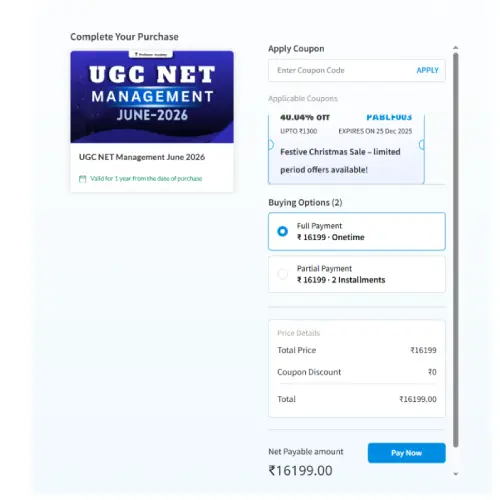
Students can choose the option that suits their financial convenience. The installment details are clearly displayed before proceeding.
At this stage:
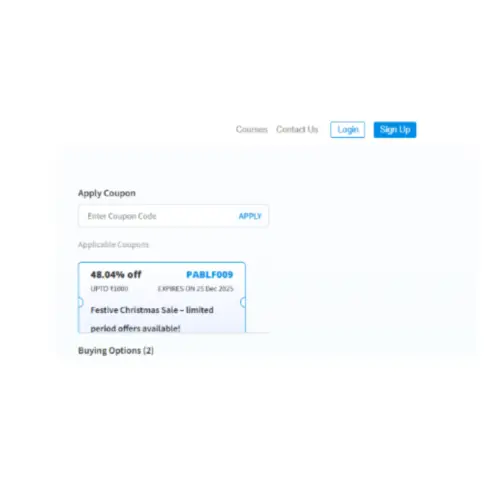
While creating your account, enter:
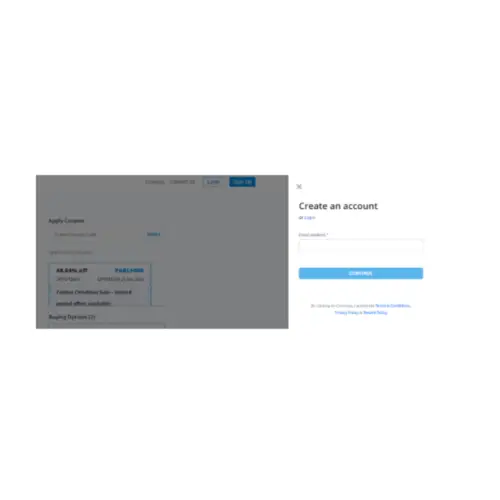
Enter the email address and click on continue
Next it will ask you to enter the details of
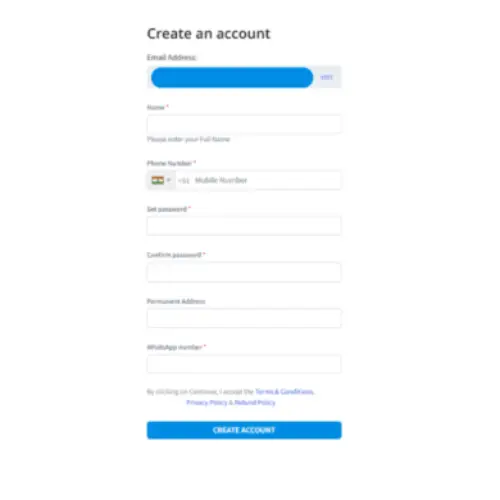
Please ensure all information is entered correctly and note down your login credentials safely for future access.
After entering all the details it will create your account next click the enroll now course option
Note: don’t forget you email id and password, its mandatory to store for future purpose
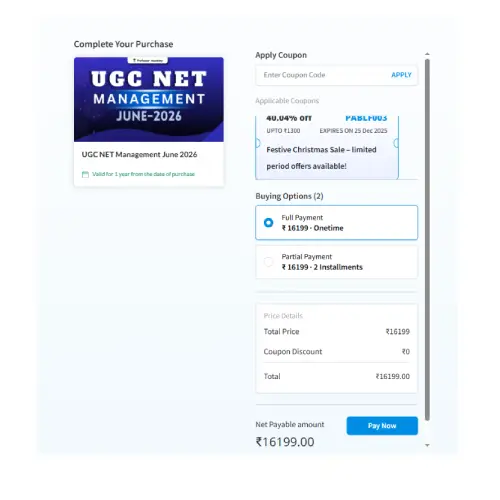
When you click the pay now option, it will redirect you to the payment gateway page
Professor Academy supports multiple secure payment methods, including:
If you select UPI Payment mode- there you will have options of multiple UPI gateway, you need to select anyone
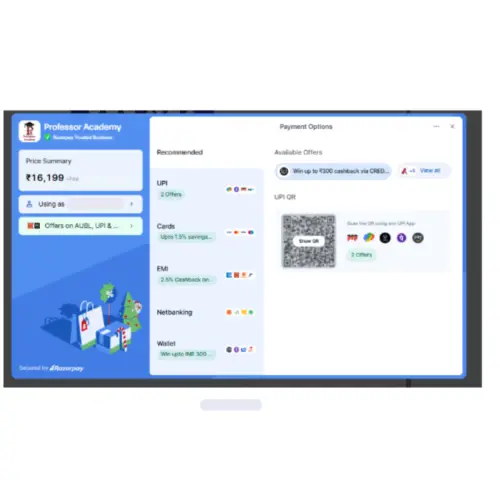
For example here if you are selecting phonepe mode and here you have options to pay via either UPI ID / Number
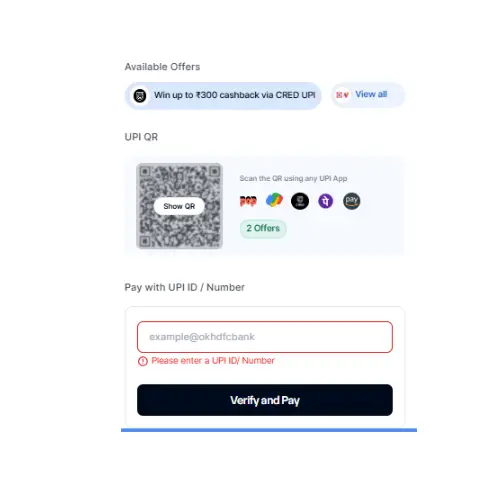
To pay with this just enter your UPI ID and no and click verify and pay
Next it will redirect you to option continue and pay , here you can check our payment details, where it consists of
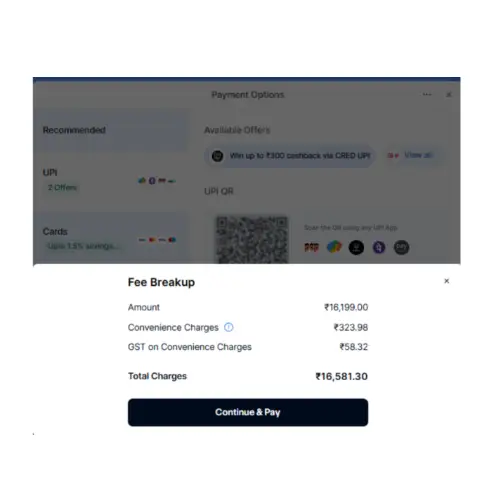
Check all the details and click continue and pay option
It will processing your payment

Finally, you will be prompted to open your PhonePe app on your mobile to complete the payment.
Please check your mobile device and finish the payment process accordingly.
Note: After clicking Continue and Pay, make sure to complete the payment within the given time limit.
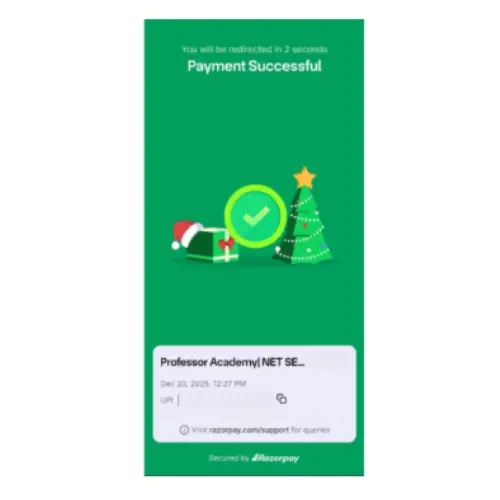
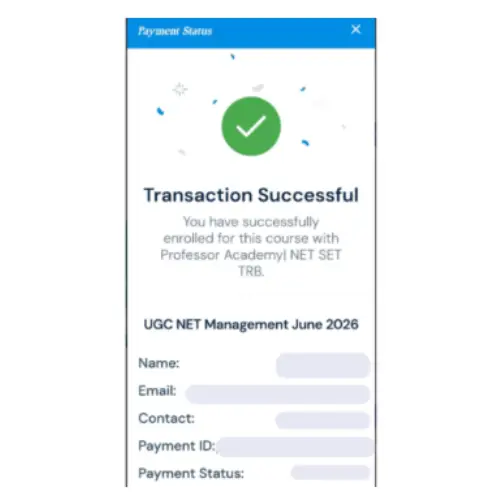
Once the payment is successful, a confirmation page will be displayed, confirming that your enrollment has been completed successfully.
Similarly, if you do not wish to make the payment through UPI, you can choose other available payment modes as well.
To access your classes:
After installation, open the app.
Allow notifications when prompted. This step is extremely important because:
are all communicated through app notifications.
Log in using your registered email ID and password. For ease of use, many students prefer using their mobile number as a password. If needed, the support team can assist with password changes.
Once logged in, you will see the course you enrolled in displayed on the dashboard. Click on the course to access:
Guidance videos explaining how to attend classes and attempt tests are provided for student support.
Even though the enrollment process is fully online, students are never left unsupported.
If you have any questions or face any issues, you can reach out us via this google form, just fill your queries, our team will respond within few hours- 24 hours
At Professor Academy, our focus goes beyond admissions. We believe in:
This online enrollment process is designed to give every aspirant confidence, clarity, and control over their preparation journey.
Start your learning with confidence.
Your success begins here.
To know more about us
Contact us
+91 7070701005
+91 7070701009
Mail us at : enquiry@professoracademy.com

Hi!
