🎉 Explore Our Pooja Holidays Offer – from October 19 to 22!
Where to watch class recordings and access documents on the Web Application
Where to watch class recordings and access documents on Mobile App
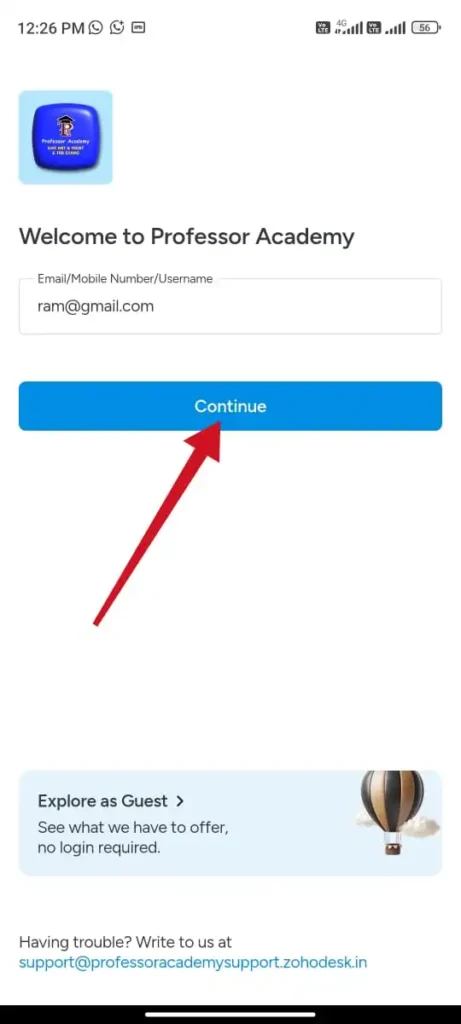
Step 1
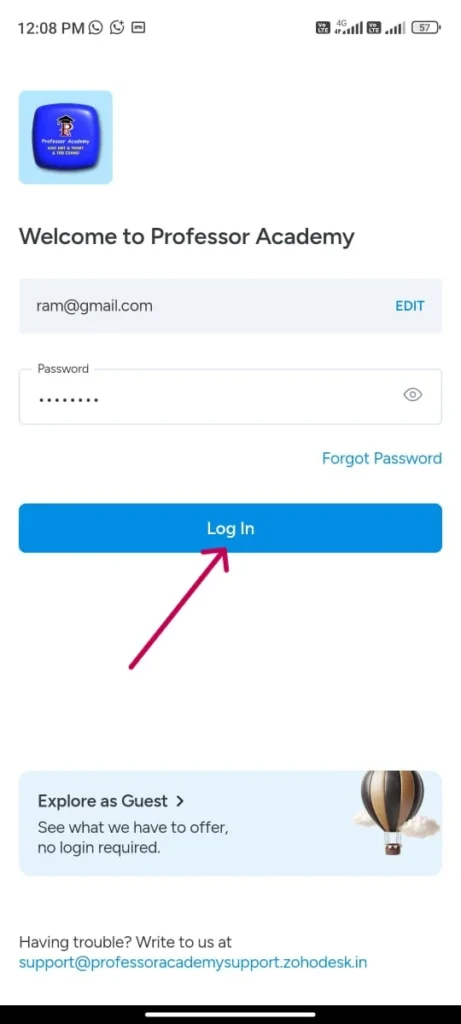
Step 2
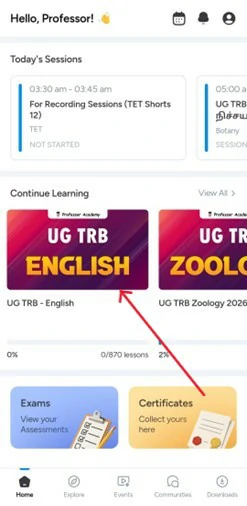
Click “UG TRB course” below the continue learning
Step 3
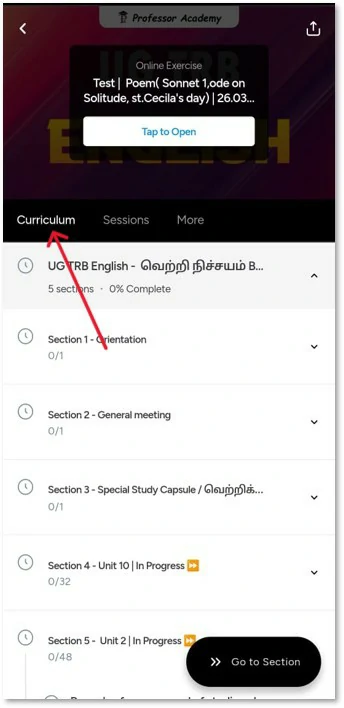
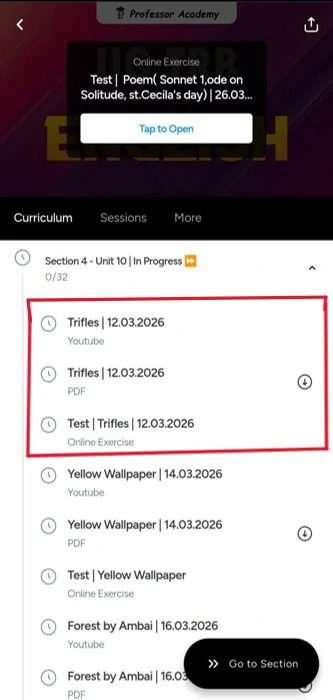
Click on the “Curriculum” section. You will find the content uploaded in a folder-wise format
Step 4
Click on the folder marked “In Progress.” Inside, you will find the class recordings, PDFs, and tests
Step 5
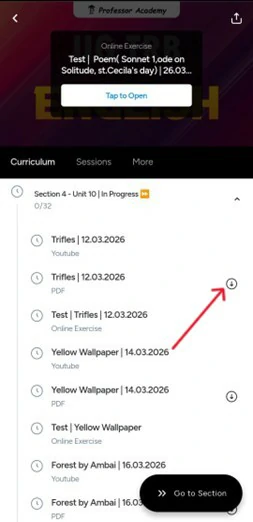
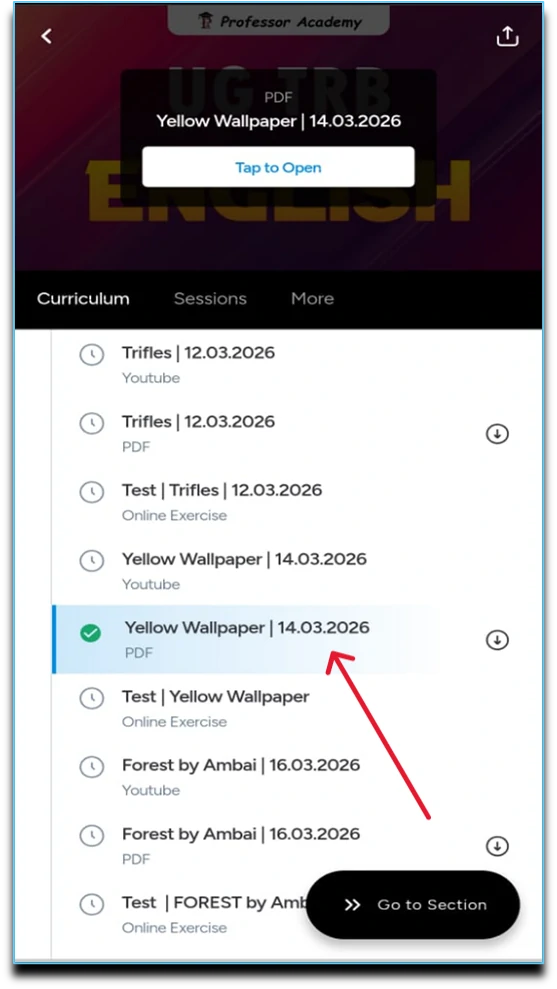
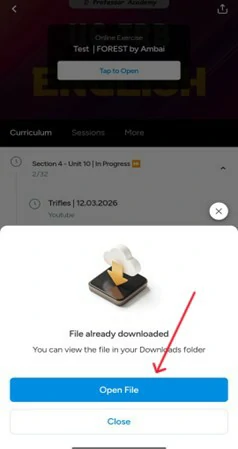
To download the PDF, click on the download icon on the right side of the PDF. The file will be downloaded to your device.
Step 6
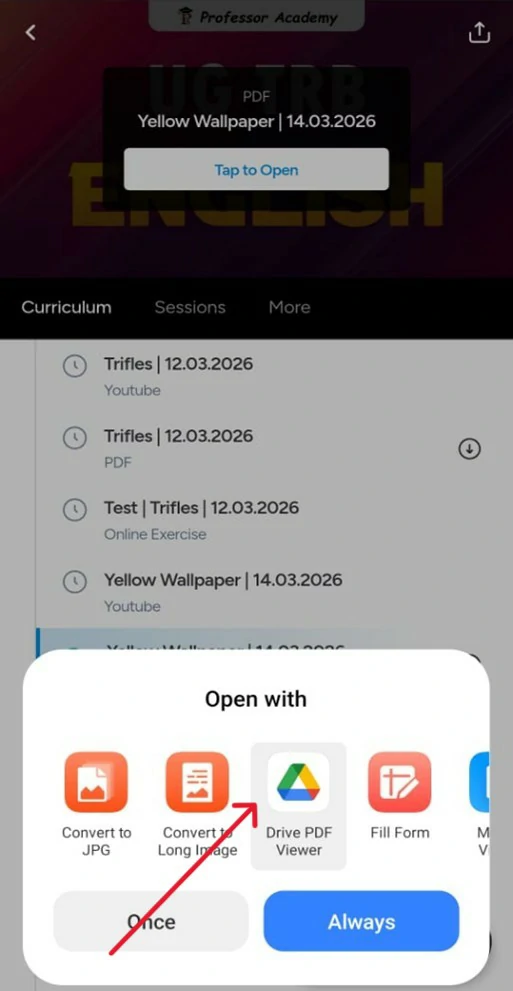
Downloading Process
Step 7
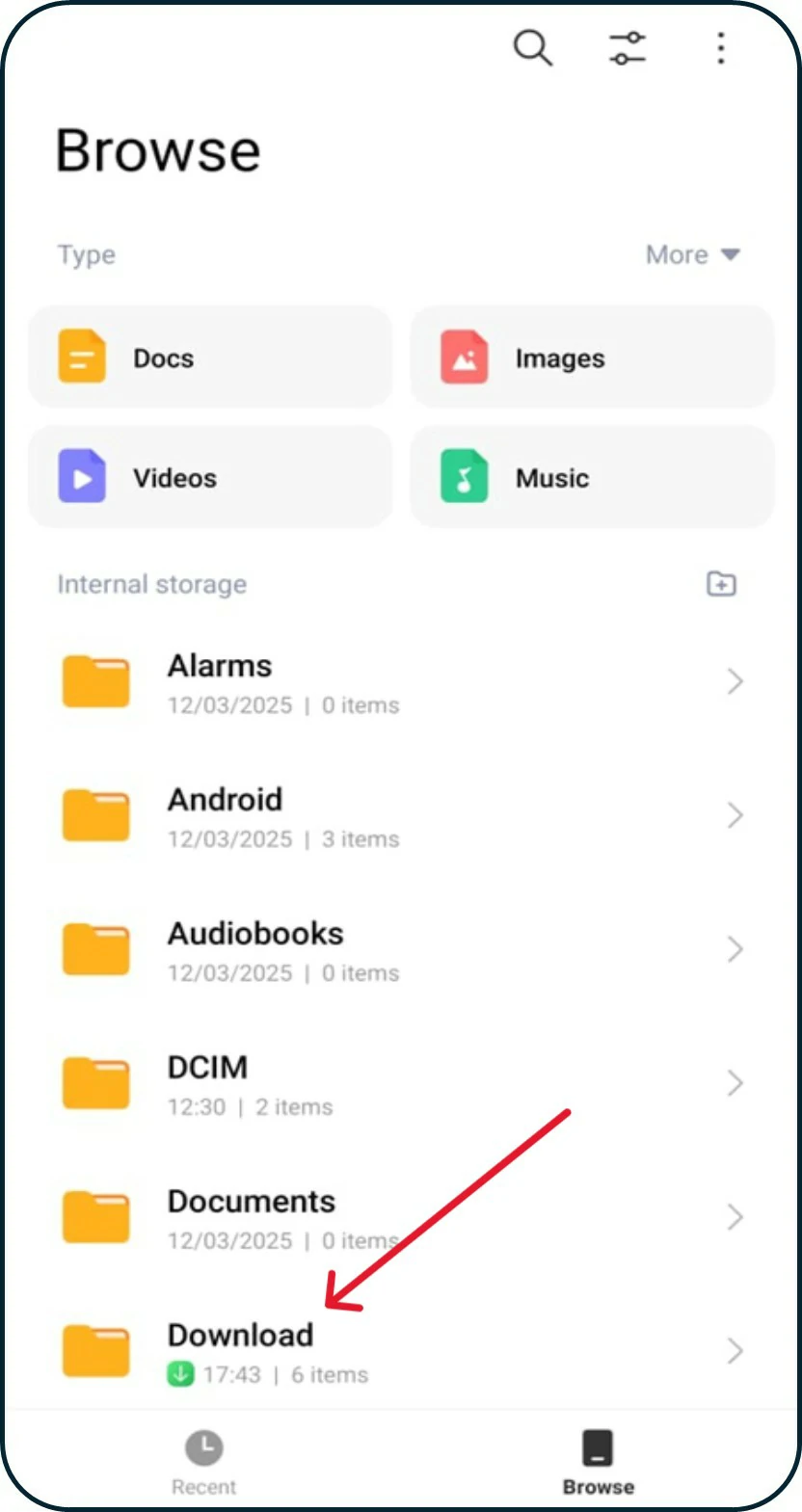
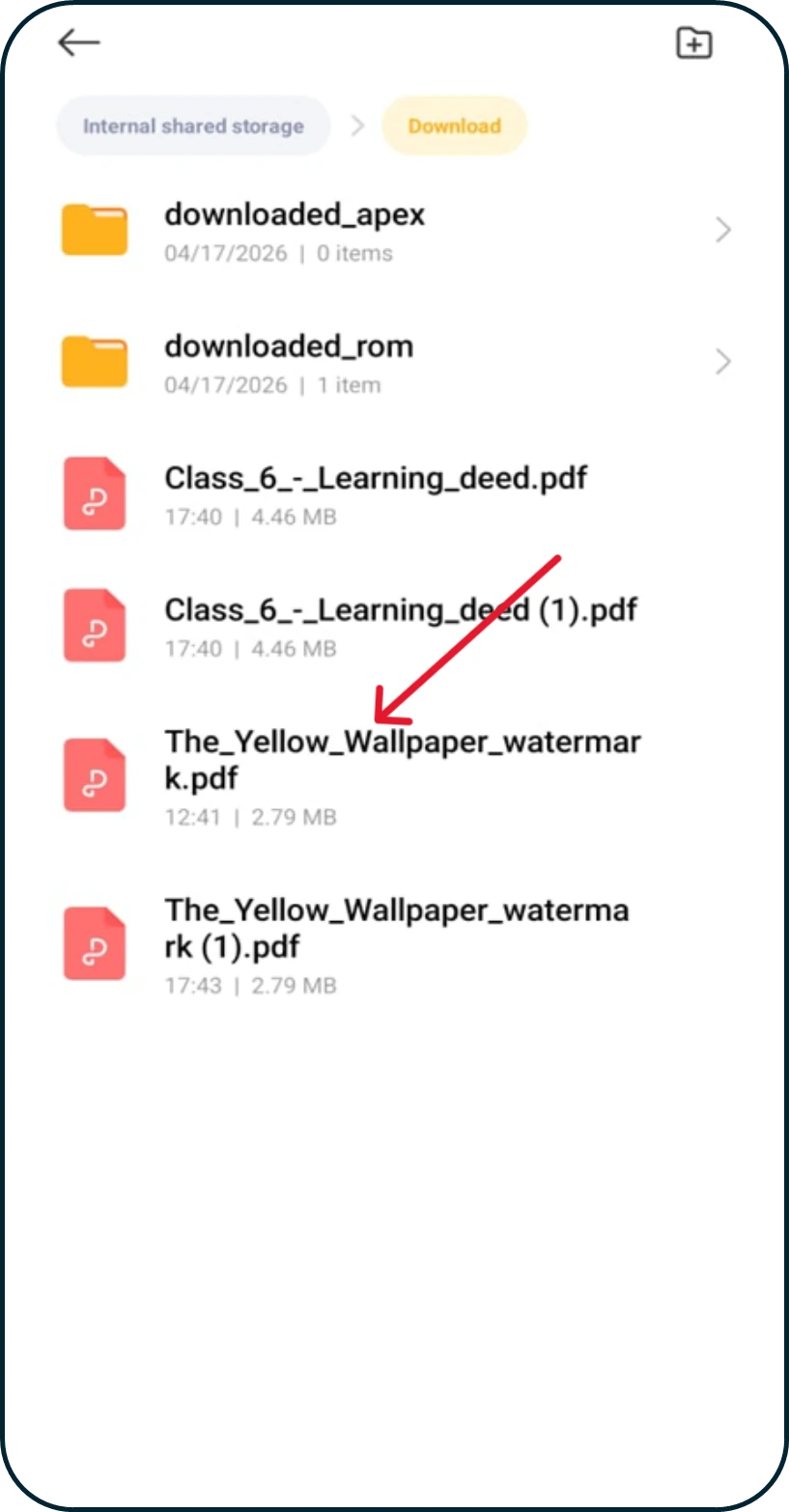
Where to See the Downloaded Document
After downloading the PDF, open My Files on your phone. Then go to the Downloads folder to find the downloaded file
Hi!
50% Concession for PWD & Transgender Aspirants
Fill out the form now and claim your 50% concession!